LC KOLOR

TiltWatch — what it is and how a tilt indicator works

A practical guide: how TiltWatch works, which model to choose, how to apply it and what to do if it is red on delivery.

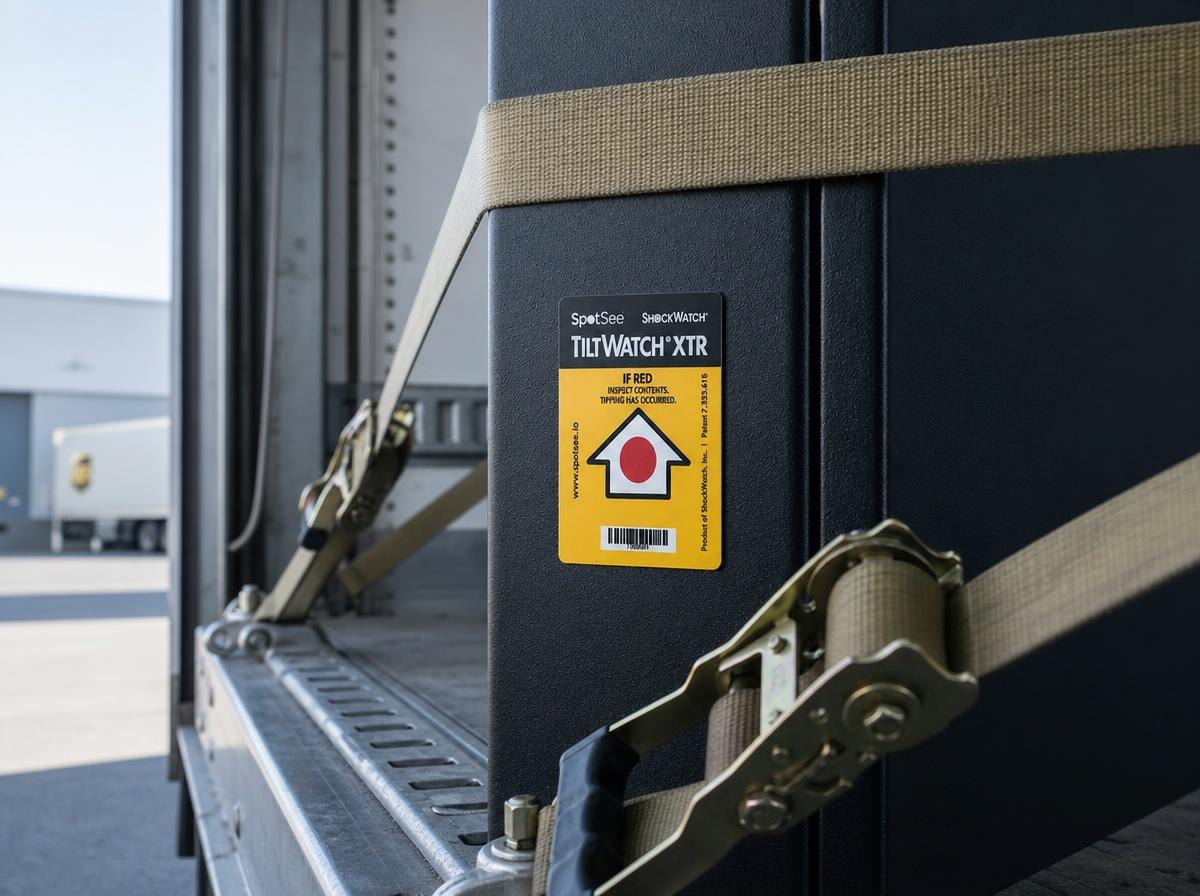
TiltWatch XTR on equipment secured with straps in a truck trailer
TiltWatch XTR on equipment in a trailer — a red window indicates that the load has been tilted.

What is TiltWatch?

TiltWatch is a brand of tilt indicators from SpotSee. It attaches to loads that must remain upright during transport. If the shipment is tilted beyond the permitted angle, the window permanently turns red.

The indicator does not respond to normal transport vibration — only to actual tilting. It requires no batteries.

Customers sometimes call it a package orientation sensor — an apt description, as it checks whether a load has remained upright throughout transport.

Why tilting causes damage

Many types of equipment have components that must remain upright: compressors in refrigerators and air conditioning units (oil can drain into the system), control cabinets, transformers, laboratory equipment and machines with a high centre of gravity.

Tilting can distort the structure, loosen fixings or displace liquids. The effects often only become apparent when the equipment is put into operation at the customer's site — which makes evidence recorded on receipt particularly valuable.

Where tilting most often occurs

  • During unloading with a forklift and when crossing a loading ramp.
  • When tall crates are laid on their sides to fit into a vehicle or container.
  • During sea freight — as the vessel rolls.
  • When moving equipment into a building through narrow doorways and on stairs.

Which TiltWatch model to choose

  • TiltWatch XTR — a simple signal: activation indicates a tilt beyond 80°. Includes a serial number.
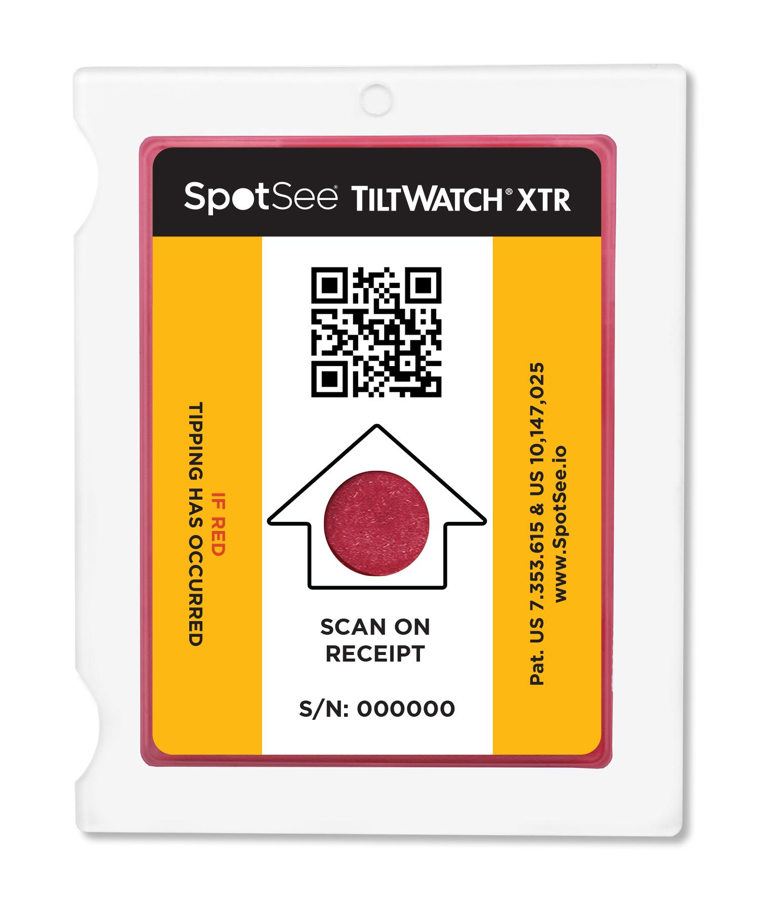
  • TiltWatch XTR QR — the same functionality, plus a digital record of the reading when scanned with a phone (time, location and serial number).
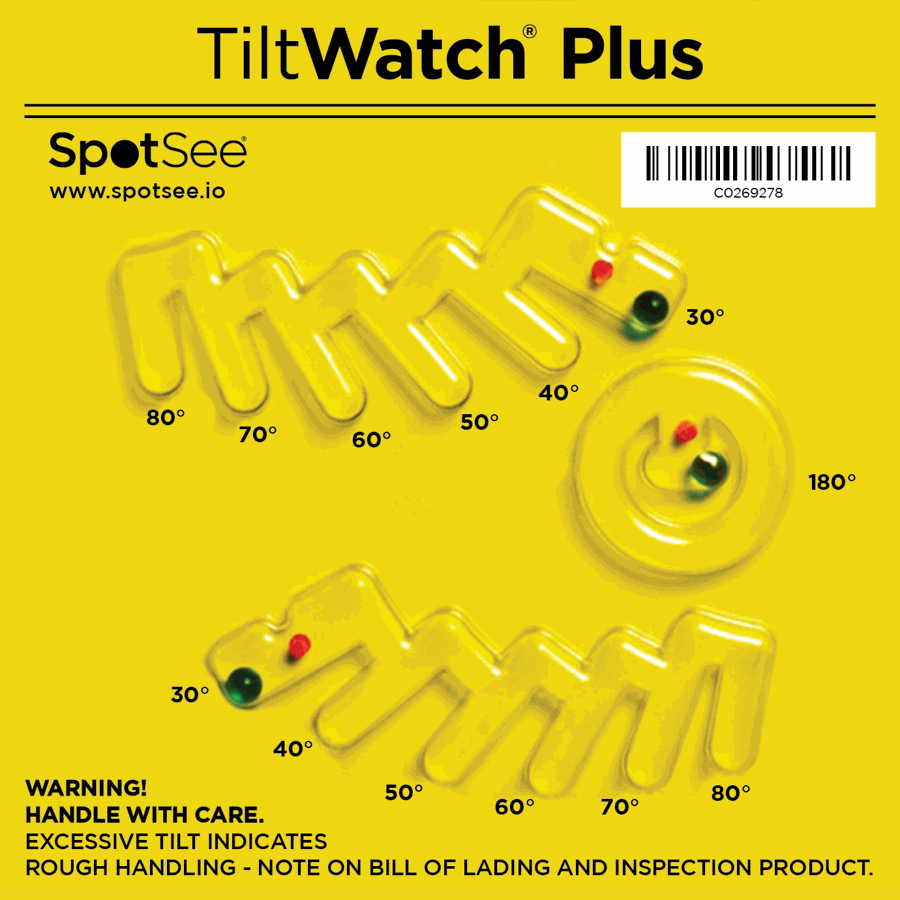
  • TiltWatch Plus — also shows the degree of tilt to the left and right, as well as complete overturning.
  • TiltWatch RFID — for automatic checks with a reader when goods are received.

How to apply TiltWatch correctly

  • Apply it to a vertical surface while the load is upright — the indicator is armed when the adhesive backing is removed.
  • If the load is wider than it is tall, use two indicators on adjacent sides.
  • On wooden crates, you can use screws or staples.
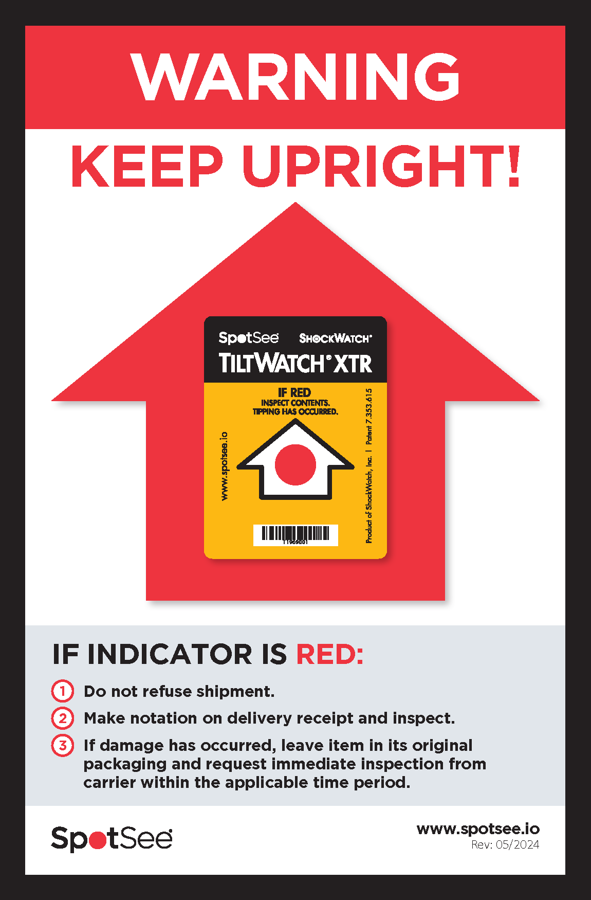
  • Add a “Do not tilt” warning label — this changes how handlers treat the load.

What to do if TiltWatch is red

  • Accept the shipment under reservation and record a remark on the consignment note in the driver's presence.
  • Photograph the indicator; for the QR version, scan the code.
  • Do not start equipment with a compressor immediately — leave it upright for the period recommended by the manufacturer.
  • Inform the sender and inspect the contents.

Using TiltWatch and ShockWatch together

Tilting and impact are two different hazards. The two indicators complement each other: TiltWatch signals tilting, while ShockWatch indicates a shock exceeding the selected threshold. This combination is commonly used to protect machinery, control cabinets and high-value electronics.

Need help choosing an indicator for a specific shipment?

Tell us the weight, dimensions and transport method — we’ll recommend a model and threshold.

Request a quote →
Products

TiltWatch Plus — Indicator for tilt angle and complete overturning

TiltWatch Plus

Indicator for tilt angle and complete overturning

Three tilt indicators in one device: left tilt, right tilt and complete overturning of the load. Shows not just whether tilting occurred, but also the angle.

  • Displays left and right tilt angles
  • Indicates complete overturning
  • Glass beads, no magnetic components
  • Tamper-resistant
Technical specifications
Activation anglein 10° increments from 30° (±5°)
Operating temperature−40 °C to +60 °C
Dimensions117 × 117 × 8 mm

Manufacturer documentation (PDF, EN)

Request a quote →
TiltWatch XTR — Single-use tilt indicator for angles above 80°

TiltWatch XTR

Single-use tilt indicator for angles above 80°

Tilt indicator that turns red when a shipment tilts beyond 80°, ignoring normal transport vibrations. Provides clear evidence of improper cargo handling.

  • Activates only when tilted beyond 80°
  • Permanent, irreversible colour change
  • Adhesive mounting or fixing with screws and staples
  • Arms automatically when the adhesive backing is removed — apply upright
  • For loads wider than they are tall: fit two indicators on adjacent sides
  • Serial number for claims documentation
Technical specifications
Activation angleabove 80°
Tolerance±5° at 20 °C
Operating temperature−40 °C to +60 °C, 5–99% RH
Dimensions74.3 × 60.3 × 5.3 mm
Armingautomatic when the adhesive backing is removed
Indicationpermanent, irreversible
Request a quote →
TiltWatch XTR QR — Tilt indicator with scan-based data logging

TiltWatch XTR QR

Tilt indicator with scan-based data logging

Tilt indicator for angles above 80° with QR code. A phone scan logs status, time, location and serial number, creating digital evidence upon shipment receipt.

  • Read with a smartphone, no app required
  • Documentation for claims and carrier settlements
  • For household appliances, electronics and machinery
  • Single-use, battery-free
Technical specifications
Activation angleabove 80°
Tolerance±5° at 20 °C
Operating temperature−40 °C to +60 °C, 5–99% RH
Dimensions74.3 × 60.3 × 5.3 mm
Digital readoutQR code, no app required
Request a quote →

TiltWatch RFID

Tilt indicator read using an RFID reader

Tilt indicator for angles above 85° with visual indication and passive RFID tag. Flags shipments for inspection on receipt without checking each indicator.

  • Activates when tilted beyond 85°
  • Compatible with standard UHF RFID readers
  • Automatic detection at goods receipt
  • Mounting with adhesive, screws or staples
Request a quote →

Transport indicators — see also